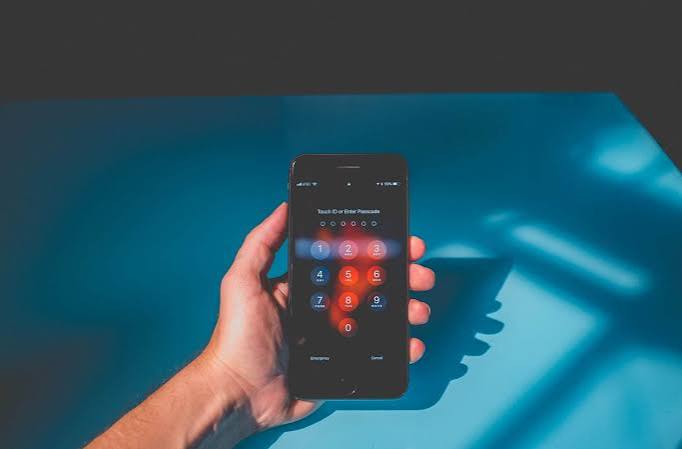
Repeated account compromises often become more damaging when the same password is reused across several services. Once one set of credentials is exposed, attackers may try similar login details elsewhere.
Using strong, unique passwords for separate accounts limits that chain reaction. Pairing them with additional login protection makes a stolen password less useful on its own.
Stop Reusing the Same Password
Password reuse feels convenient because there are fewer credentials to remember. The downside appears when one service suffers a breach or a password is stolen through phishing.
Attackers can test exposed username-and-password combinations against other services. A password that unlocks only one account creates a smaller problem than one reused for email, shopping, social media, and financial accounts.
| Risky Habit | Safer Approach | Why It Helps |
|---|---|---|
| One password everywhere | Unique password per account | Limits reuse attacks |
| Short predictable password | Longer random credential | Harder to guess |
| Password stored in notes | Reputable password manager | Better organization |
| Password-only login | Add MFA where available | Adds another barrier |
Let a Password Manager Handle Memory
Trying to memorize dozens of complicated passwords encourages shortcuts. A password manager can create and store different credentials so you don’t need to remember every one.
People reading digital safety material may encounter many password formulas, but a generated unique credential is usually easier to manage than repeatedly inventing memorable variations such as adding another number to an old password.
Protect the password manager itself carefully. Its master credential should be unique, and additional authentication should be enabled when supported.
Protect Your Email Account First
Email deserves special attention because many services use it for password resets and security notices. Someone who controls your inbox may be able to reset credentials for other accounts.
General discussions about online security habits can cover dozens of protections, but securing your primary email address provides a practical starting point.
Use a unique password, turn on multi-factor authentication where available, and review recovery addresses or phone numbers. Remove recovery options you no longer control.
Add Multi-Factor Authentication
Multi-factor authentication requires another form of verification beyond the password. Depending on the service, that might involve an authenticator app, security key, passkey, or another supported method.
Readers exploring technology awareness topics should remember that no security measure makes an account impossible to compromise. Additional authentication simply creates another obstacle when a password is stolen.
Save recovery codes securely when a service provides them. Losing both your authentication method and recovery options can make regaining legitimate access difficult.
What People Often Miss After a Hack
Changing the compromised password is important, but stopping there may leave other access intact. Check active sessions, remembered devices, connected applications, recovery settings, forwarding rules, and other security options provided by the service.
Reused passwords also need attention. If the compromised credential was used on five other accounts, those accounts should be treated as exposed rather than waiting for suspicious activity to appear.
Don’t approve unexpected authentication prompts. Repeated approval requests may be an attempt to convince you to authorize someone else’s login.
Frequently Asked Questions
Does changing one hacked password protect my other accounts?
Only if that password wasn’t reused elsewhere. When the same or closely related credential appears on other services, change those passwords as well and make each replacement unique.
Are long passwords better than complicated short passwords?
Length and unpredictability both matter. A password manager can generate long random credentials without requiring you to memorize complex strings for every service.
What should I do if someone changed my recovery information?
Use the service’s official account-recovery process immediately. Check security notifications and previously trusted devices if available, and avoid people who claim they can recover the account in exchange for unofficial payments.
Break the Chain Between Accounts
Start with the accounts that could unlock others, particularly your main email address. Replace reused credentials with unique passwords, enable additional authentication where possible, and review recovery settings while you still have control.
Account security becomes easier to contain when one stolen credential cannot open everything else. Separate the passwords, protect the recovery routes, and make every compromised login a smaller problem.